Choose a sharp, well-lit portrait with one clearly visible face. An upper-body image can also show hair and clothing. Use separate photos for each friend. Supported files are real JPG, PNG or WebP images up to 10 MB each, with a 20 MB limit for the complete cast.
Make the face easy to read
Use a sharp photograph where the face takes up enough of the frame to see eyes, nose and mouth clearly. A small face at the far end of a group shot may contain too little detail to communicate someone's appearance.
Sunglasses, hands, masks and heavy hair across the face hide information. Strong beauty filters can also replace the features you want represented. Start with a natural photograph that looks like the person, rather than relying on a filter to define their identity.
- One person per casting reference.
- A visible, unobstructed face.
- Enough detail to recognize the person at normal viewing size.
Choose even, useful lighting
A well-lit photo usually communicates more facial detail than a silhouette or deeply shadowed portrait. Avoid an extremely bright window behind the person if it makes their face dark.
The source party scene has its own lighting. You do not need to reproduce that lighting in your photo. A readable portrait is a better starting point than trying to match a moody scene while obscuring features. Check that highlights are not completely white and shadows do not erase half the face.
Include the look you want to describe
If hair, a jacket or a shirt matters to your cast idea, include it in the photograph. An upper-body frame can describe appearance beyond facial features. A close face crop gives no reliable reference for clothes below the crop.
Avoid tiny lettering, complex logos and elaborate accessories when exact reproduction matters. AI editing may reinterpret those details as the person moves. Keep the casting idea simple enough to communicate in a single image.
Give every friend a separate photo
The foreground lead has one dedicated upload. Each optional background friend has their own slot, with room for up to five friends. Use separate portraits rather than repeating a group photograph in several slots.
After adding everyone, check the visible previews. Replacing a photo should update only that person's slot. If you remove a reference, review the remaining cast before saving. Ask permission from your friends before uploading or transforming their photos.
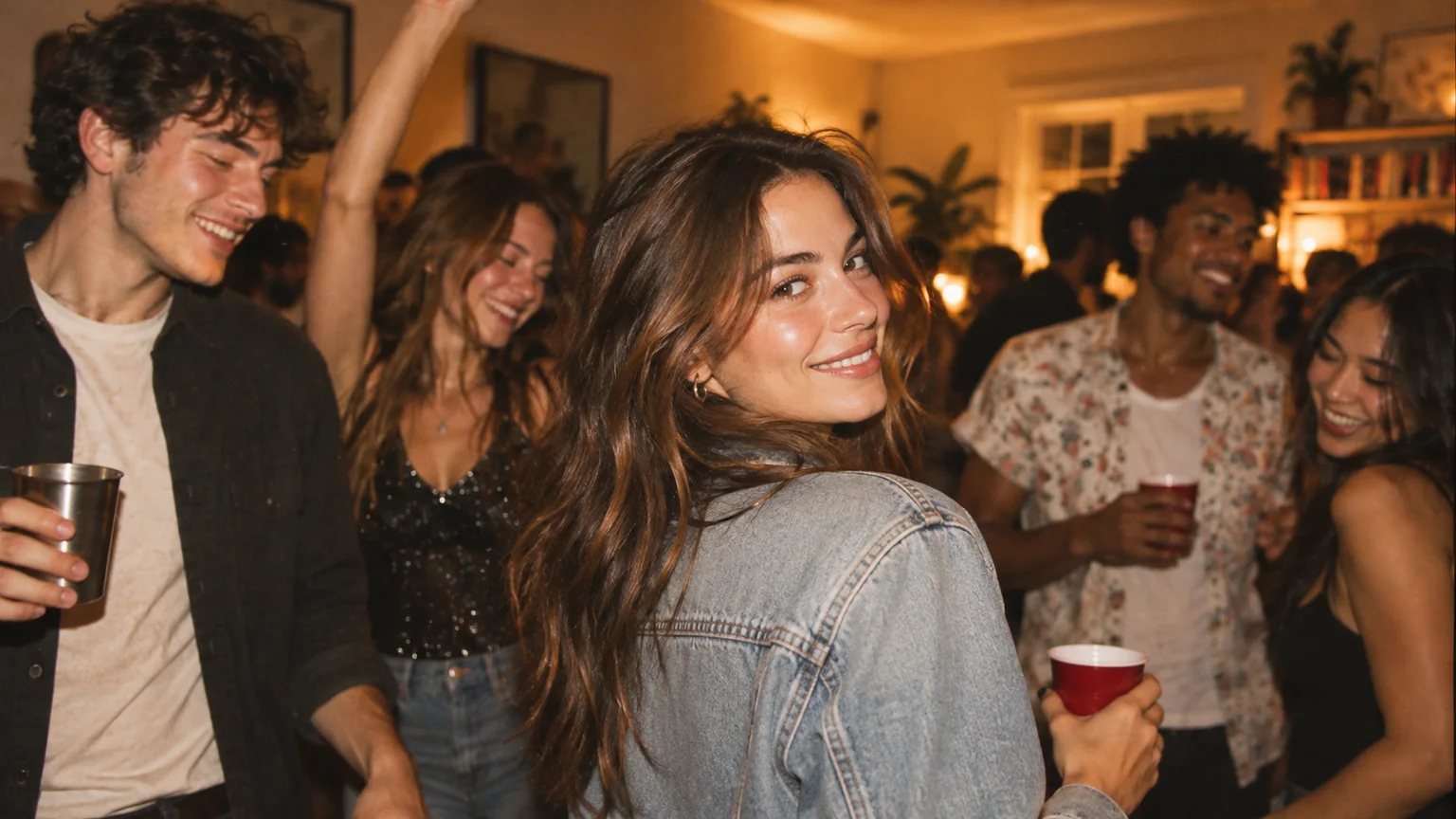
The input image pictured here is the exact fictional-adult image used in our solo-lead test. It includes people in the background; it is disclosed as the test input, not presented as the ideal one-person portrait. For a new cast, prefer the simpler separate-portrait approach.
Check format and file size
The studio accepts JPG, PNG and WebP images up to 10 MB each. The photo must be a readable image, not a different file renamed with an image extension. Files must be 256–5760 pixels per side, with an aspect ratio from 2:5 to 5:2. Keep all cast photos together at or below 20 MB.
Export a new JPG or PNG from your photo app if an image will not open. Avoid repeatedly re-saving a compressed photo, because each export may reduce detail. You do not need an enormous file to communicate a clear portrait.
A final check before the spotlight
Look at the complete cast together. Is the lead correct? Does each background friend have the intended photo? Is everyone's face visible? Have you chosen original or AI-generated music and confirmed photo permissions? The current output is a 14-second native 768P video.
Save the cast for free on this device or sign in and continue to payment. Each generation costs $5.99 USD once before creation, with no subscription. Saving a draft does not upload photos or create a video. Review the completed video as carefully as the inputs: good references reduce ambiguity, but exact likeness and perfect multi-person consistency are not promised.
A FEW MORE DETAILS
Common questions.
Can I use a group photo for all my friends?
Use one separate portrait per person. A single group shot reused in multiple slots leaves it unclear which face belongs to each background role.
Does my photo need party lighting?
No. Prioritize a clearly visible face and useful detail. The configured performance reference guides the party setting; your portrait communicates the person you want cast.
Will a larger image guarantee a better result?
No. A sharp, readable portrait can help, but larger files do not guarantee exact likeness. Stay within the file, dimension and total-cast limits.
READY WHEN YOU ARE.
Make your entrance.
Choose your photos and music. Review the price before creating.
Need help with an existing order? Contact support with your order reference.