One scene. Your starring role.
The Burning Bridges
AI video template.
Put your photo into a familiar party performance. One foreground lead, optional supporting friends and a soundtrack you choose.
No prompt writing · Free photo preparation · Pay before generation
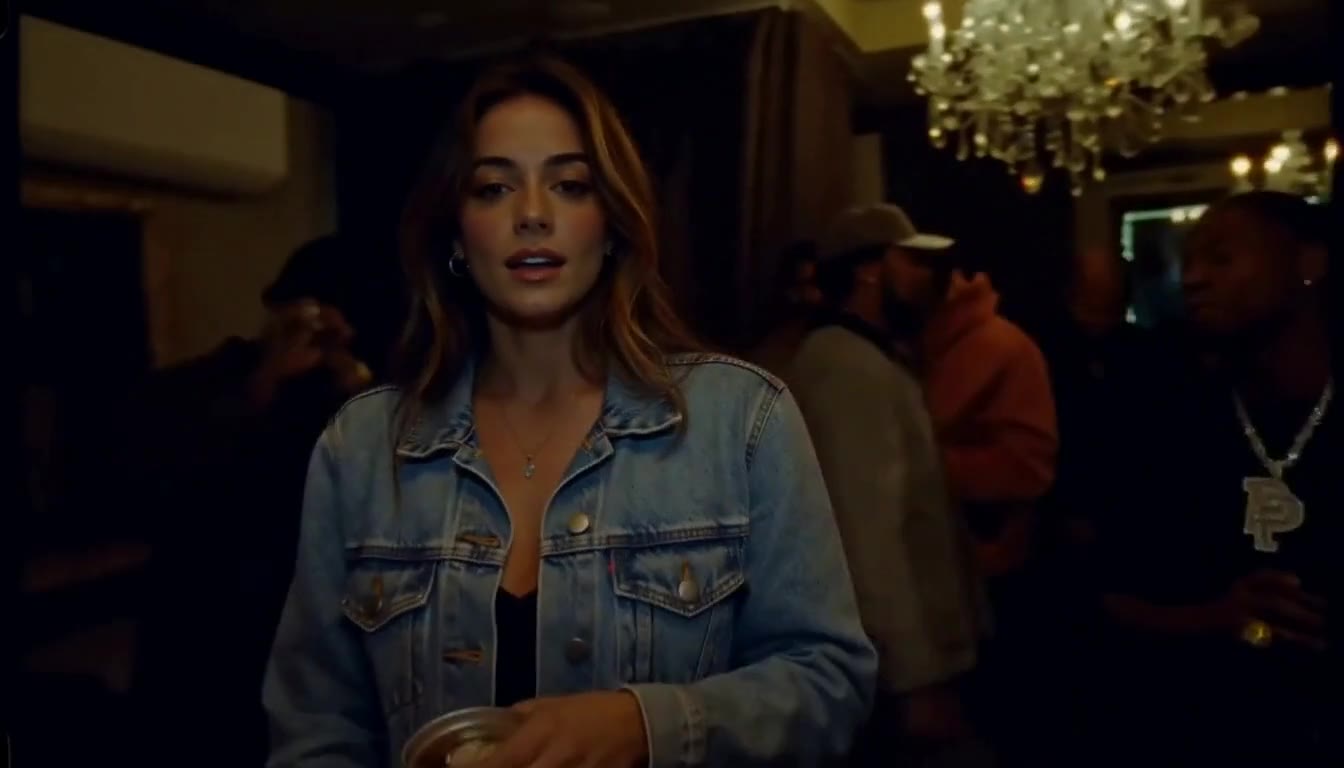
The lead is the new cast.Native 768P
Studio demonstration
01 / Understand the template
A performance brief,
already in place.
The Burning Bridges photo-to-video template uses a configured performance reference to guide the dark party setting, camera progression and foreground action. Your lead photo describes who belongs in that central role. It is a focused workflow for this scene, so you can prepare a cast without building a shot from scratch.
What guides the scene
The reference sets the intended room, party atmosphere, camera and gesture sequence. The lead stays in front. Up to five optional friends occupy supporting background roles, each with a separate portrait.
What the AI can vary
Facial detail, clothing, hand poses, lip movement and timing can change. Background friends may be inconsistent. The reference is guidance; exact likeness and frame-for-frame preservation are not guaranteed.
02 / Evidence before expectation
Same reference.
A new foreground lead.
Frames from one completed MiniMax H3 studio test using a fictional adult. This is a solo-lead demonstration, rather than a customer review or multi-friend result.
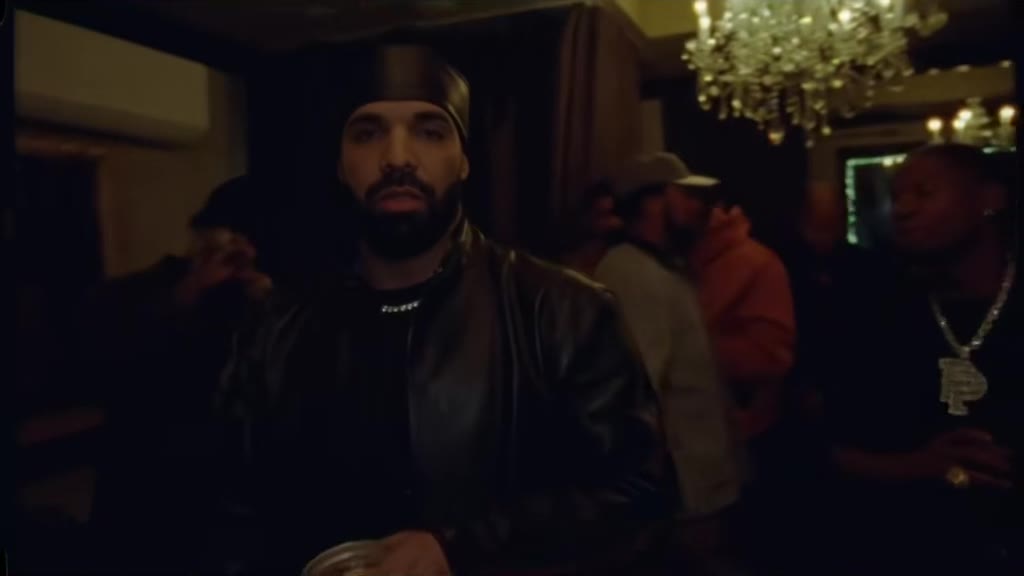
The test requested 14 seconds at native 768P. Its downloaded file runs 14.375 seconds at 1344 × 768 because of provider padding. Watch the full clips to check movement and small details.
Watch reference & resultChoose your lead and supporting cast
Use one clear, well-lit portrait for the lead. Add separate friend photos only if you want background roles. Check permissions and the 20 MB total cast limit. Saving a draft is free and keeps it in this browser.
Choose better photosSet the music before checkout
Keep the original reference soundtrack, or choose AI-generated music: Auto, Hip-hop, Pop, Electronic or Cinematic. The choice is included in your delivered video; styles guide the AI rather than promising a particular song.
Compare original and AI musicSign in, pay once, then create
Confirm photo permission and continue to Stripe Checkout. After payment is verified, choose Create paid video. Review the whole result and download the MP4. Outputs are private; a public share page is your choice.
Download and share your result
Is this a Burning Bridges face-swap template?
It is a reference-guided AI video workflow that casts your lead in the foreground performance. It can reinterpret appearance, clothing, hands and movement. Treat the face-swap phrase as a description of the intended effect, rather than a promise of pixel-identical replacement.
Can I make the video without friends or a written prompt?
Yes. One clear lead photo is enough to prepare a solo cast. Friends are optional, and the template supplies the performance direction. You choose your photos and soundtrack in the studio; you do not need to write an AI prompt.
Is a personalized preview free?
Preparing photos and saving a cast are free. A personalized video requires payment before generation. The current offer is $5.99 USD once for one 14-second native 768P generation. Watch the published demonstration to understand the workflow before purchasing.
Can I post the result to TikTok or Instagram Reels?
Download the completed MP4 and review it in your chosen editor before posting. Check your rights to the people, performance and music. The native example is landscape, so a vertical crop can remove the lead’s gestures or background friends; preview the framing first.
Your photo. The next scene.
Take the lead.
Prepare your cast, choose the music and review the price before paying.