When generation completes, watch the full clip and select Download video to save the MP4 with your chosen soundtrack. Videos are private by default. To share a public watch page, confirm public-sharing permission and choose Create share page, then copy or share its link. Disabling sharing stops new access; saved copies cannot be recalled.
Wait for the completed player
A saved cast, successful payment or processing message is not a finished video. After the one-time $5.99 payment is verified, Create paid video starts the generation for your selected cast and settings. Wait until the completed player appears before attempting to save or share the result.
If the studio still shows pending payment, use Check payment status in the same account and saved cast. If generation fails or an order needs review, retain the order reference and contact support before paying again. There is no fixed generation wait promised. Returning to the original browser also helps you recover the local draft associated with the order.
Review the entire video with sound
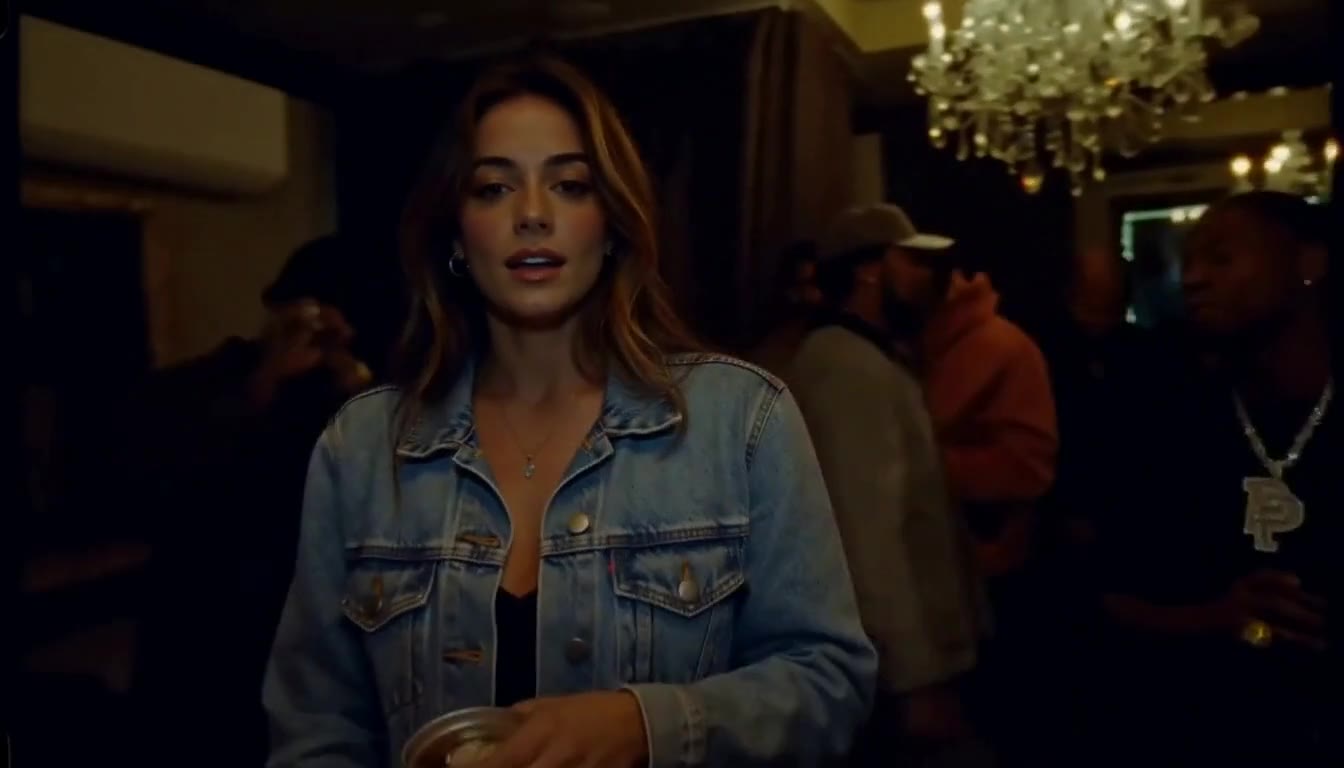
Play the clip from its beginning through the final frame. Check the lead's face, hands and clothing, and inspect any background friends during movement or overlap. Listen to the soundtrack you selected before Checkout. Original or AI-generated music is included in the delivered file; downloading does not require choosing it again.
The current offer requests a 14-second native 768P video. The published solo-lead example returned 14.375 seconds at 1344 × 768 because of native provider padding. Your result should be assessed on its actual appearance and sound. A clear input helps, but no exact likeness or perfect multi-person consistency is promised.
- Watch the full clip, including transitions and the ending.
- Pause on faces, fingers and overlapping people.
- Listen with sound enabled before saving or publishing.
Download the MP4 and keep an original copy
Select Download video from the completed result and check the saved MP4 in your browser's download location or your device's file app. Open the downloaded file once to confirm that it plays and has sound. If a phone offers a file-saving choice, keep track of where you put it so you can find it for later editing or sharing.
Keep this original MP4 separate from any cropped or captioned exports you make elsewhere. A local copy lets you compare edits and preserve the delivered version. Browser drafts are not a video backup, and no automatic deletion schedule or indefinite cloud storage promise is published. Download while the result is available.
Enable a public watch page only when ready
Finished videos stay private until you opt into sharing. Check permission for everyone pictured and for the performance or music you intend to publish. Confirm the public-sharing permission in the result controls, then choose Create share page. Copy link or Share video lets you distribute that watch-page address.
Visitors can watch an enabled share page without signing in. The page includes bitio attribution and an entry to make their own video. Personal share pages are noindex and excluded from the sitemap; that search setting is not a privacy boundary. Anyone who receives the link can pass it along, and viewers may save the media.
Understand disabling and external posts
Turning sharing off stops new page and media access through the sharing feature. It cannot erase files viewers already downloaded, screenshots they took or copies posted elsewhere. Media access already granted may remain usable briefly. Treat an enabled public link as a publication decision, not a private delivery method.
For TikTok, Reels or another channel, use the downloaded MP4 in your chosen editor and review the exported result before uploading. The native video is landscape; the studio does not automatically turn it into a 9:16 edit. Check the destination's current music and posting rules, and keep your original file even if you later disable the watch page.
A FEW MORE DETAILS
Common questions.
Do I need a public link to download my video?
No. Download video saves the completed MP4 independently of public sharing. The result can remain private while you keep a local copy.
Can someone watch my share page without an account?
Yes, while sharing is enabled. Anyone with the public watch-page link can view it without signing in, so confirm permission before creating the page.
Does turning sharing off delete copies people saved?
No. Disabling stops new access through the feature, but cannot recall saved files, screenshots or copies on other platforms. Previously granted media access may last briefly.
READY WHEN YOU ARE.
Make your entrance.
Choose your photos and music. Review the price before creating.
Need help with an existing order? Contact support with your order reference.